Meeting Notes Template: Clear Actions in 2026


In this article
Good meeting notes record decisions, owners and next steps—not everything said. Use the free meeting notes template below to capture those details during the conversation, then send a short summary while the context is fresh. In 2026, the best template is the one your team can act on without replaying the meeting.
- This meeting notes template captures decisions, action owners, deadlines and unresolved questions.
- Write outcomes during the meeting; clean up wording afterward instead of trying to produce a transcript.
- Omi is best for professionals who want conversation capture alongside notes, but recordings still need review.
How do you take meeting notes with a free template?
Start with the meeting goal. During the discussion, separate decisions from proposed ideas, and write every action with an owner and a deadline or a clear note that the deadline is unset. Before sharing, check anything consequential against what was actually said. If you need a different way to organize a discussion, compare note-taking methods before choosing a format.
| Approach | Best for | Strength | Limitation |
|---|---|---|---|
| Manual notes | Focused meetings with clear outcomes | Easy to keep brief and relevant | You can miss details while participating |
| Recording and transcription | Discussions where exact wording matters | Preserves more of the conversation | A transcript does not identify the final decision for you |
| Recording plus an action template | Meetings with several decisions or follow-ups | Pairs conversation context with assigned work | You must verify names, decisions and deadlines |
Use a recording to check your notes, not as a substitute for them. Someone reading the summary needs the outcome, not a search task.
Copy this 2026 meeting notes template
Copy the fields below into the document or app your team already uses. Leave a field blank rather than turning a guess into a decision.
Meeting:
Date:
Attendees:
Purpose: What must this meeting resolve?
Decisions made:
- Decision:
- Reason or constraint:
Action items:
- Task:
- Owner:
- Deadline, if agreed:
Open questions:
- Question:
- Person responsible for finding the answer:
Context worth keeping: What would someone absent need to understand?
Next check-in: When and where will the team revisit the open work?
The distinction between decision and open question matters. A proposal belongs under open questions until the group actually agrees to it. The action list should be just as strict: if nobody accepted a task, record that an owner still needs to be assigned.
Why this matters
Meeting notes fail when they look complete but hide uncertainty. A long account of who said what can bury the one decision the team needs, while a polished summary can make an unresolved point sound settled. The 2026 template keeps decisions, tasks and open questions apart so a reader can tell what happened and what still needs attention.
Treat notes as a working record, not a performance of perfect recall. Capture enough context to explain an outcome, then put the work where people can find it. If a statement affects a customer, patient or other person, verify it before passing it on as fact.
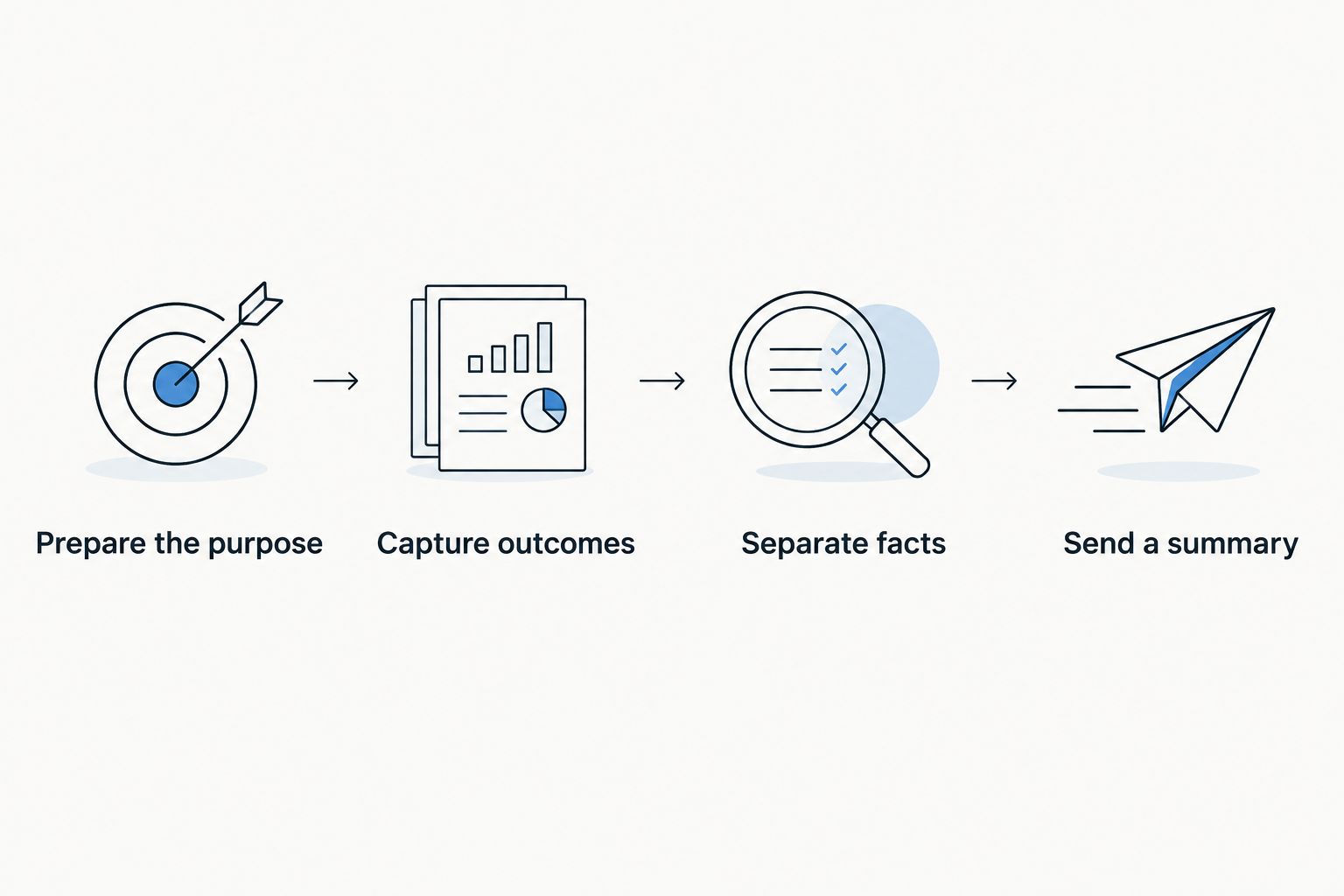
How to fill in the template without missing the outcome
Prepare the purpose
Set up the headings before the meeting. Write the question the group needs to answer under Purpose, even if the calendar invitation only names a topic. A question gives you a test for what belongs in the final notes: did the discussion answer it, assign someone to answer it, or leave it open?
Use the first 5 minutes before the meeting to add known agenda items, not assumed outcomes. That small distinction stops the template from steering your notes toward a decision nobody has made.
Capture outcomes as they happen
Write a decision when the group confirms one. For an action, capture the verb, the deliverable and the owner: draft the customer follow-up — assigned to the named owner. Add a deadline only when someone states or accepts one. If timing remains unclear, mark it as unset and ask before the meeting ends.
Do not try to transcribe every exchange by hand. Note a point of disagreement when it explains a decision or remains unresolved; leave out repetition that changes neither. If the discussion moves quickly, put a short marker in the relevant field and return to it during your review.
Separate facts from assumptions
After the meeting, read the decisions and open questions together. Move anything phrased as probably agreed out of the decision list until you confirm it. Check that each task has an owner who can recognize the work and that the summary does not quietly add a deadline.
Set aside 2 minutes for this check before you send the notes. Your goal is not elegant prose. It is a record that does not mistake a suggestion for an instruction.
Send a usable summary
Lead with decisions, then actions, then open questions. Keep the fuller context below those sections for anyone who needs it. Ask participants to correct a disputed point rather than letting an uncertain summary become the default account.
Send the notes within 24 hours as a practical team rule, not as a claim that every meeting has the same deadline. For a time-sensitive decision, share the confirmed outcome sooner. If no decision was made, say so plainly and identify who will move the question forward.
Which meeting notes format should you use?
Use the short template for a decision meeting. Put the choice and its reason near the top, followed by the actions needed to carry it out. The advantage is speed; the drawback is that it leaves little room for a discussion that has not reached an answer.
Use an action-focused version for a working meeting. Give each deliverable its own task, owner and agreed deadline. This makes follow-up clear, but it can lose the reasoning behind a change unless you add a short context line.
Use a context-heavy version for a handoff. Explain the situation, record unresolved questions and identify who needs the answer. It gives an absent colleague more to work with, but demands a harder edit: anything that does not affect the handoff should come out.
All three formats use the same fields. Change their order and the amount of context, not the meaning of a decision or an assignment.
Why the right level of detail varies
- Meeting purpose: A decision meeting needs the final choice; a working session needs the tasks that emerged.
- Number of speakers: More contributors make it easier to confuse a suggestion with group agreement. Confirm the outcome aloud when it is unclear.
- Unresolved work: A meeting that ends without a decision needs clear questions and named follow-up, not a manufactured conclusion.
- Sensitivity: Notes containing personal or confidential information need careful review before sharing.
- Recording consent: Consent rules vary by location. Check local law before recording, and tell participants how you intend to use the recording.
- Language: If a conversation switches languages, review names and meaning closely before treating an automated transcript as the final record.
These factors change what you emphasize, not what you can claim. In 2026, a useful note still makes it possible to distinguish agreed, assigned and unresolved at a glance.
Where does a recording fit?
Recording helps when you need to revisit wording, identify an action you missed or check whether a point was agreed. It also creates another job: reviewing the output. A transcript can preserve the conversation while still leaving the next move unclear.
Omi is best for professionals who want a wearable conversation recorder that produces transcripts, summaries and tasks for later review. Omi can also record through its phone or Mac app without the wearable. Its strength is keeping spoken context available; its limitation is that you still need to check speaker labels, decisions and assigned tasks before sharing meeting notes.
If you record an online meeting, Omi's Mac app can capture it; a phone or wearable can record when it is in the room. Omi does not join the call as a bot. For a phone call, put the call on speakerphone and let the device record. Check consent requirements first—recording does not remove that responsibility.
Keep the final template separate from the raw transcript. A teammate should be able to find the owner of a task without listening to the whole discussion. That is the test of useful meeting notes, whether you wrote them by hand or used a recording to check them.
Related questions
Should I write meeting notes during or after the meeting?
Write decisions, owners and unresolved questions during the meeting; edit for clarity afterward. Waiting until the meeting ends makes it harder to distinguish what someone proposed from what the group accepted.
What if nobody agrees on a deadline?
Write deadline unset and ask who will confirm the timing. Do not insert a date just to make the action list look finished.
How much of a transcript belongs in meeting notes?
Only the parts needed to explain a decision, task or open question. Keep a transcript as supporting context if you have one; the shared notes should state the outcome directly.
FAQ
What is the best free meeting notes template for 2026?
Use a template with purpose, decisions, action items, owners, deadlines and open questions. The copyable template on this page keeps proposed ideas separate from agreed outcomes.
What should meeting notes include?
Meeting notes should include the purpose, decisions, assigned actions and unresolved questions. Add enough context for someone who missed the meeting to understand why an outcome matters.
How do I take meeting notes when I am also speaking?
Capture short decision and action markers while you participate, then review them after the meeting. Confirm an owner or outcome aloud when you cannot tell whether the group agreed.
Are meeting notes the same as minutes?
No. Meeting notes can be a concise working summary, while formal minutes follow the record-keeping requirements of the organization or meeting. Use the format your organization requires when an official record is needed.
Can I use a recording instead of taking meeting notes?
A recording is supporting material, not a replacement for a decision and action summary. Check consent rules in your location before recording and review any automated output before sharing it.
How do I record action items in meeting notes?
Write each action as a specific task with an owner and an agreed deadline, if there is one. Mark missing ownership or timing as unresolved rather than guessing.
When should I send meeting notes in 2026?
Send meeting notes while participants can still check the decisions and assignments. A within-24-hours rule is a useful team practice, but a time-sensitive outcome should be shared sooner.
One last thing
Before you send the summary, try reading only the Decisions made, Action items and Open questions fields. If you cannot tell what happens next, more transcript will not fix the notes. In 2026, the better edit is usually to name the missing owner, confirm the disputed decision or state that the answer is still open.