Can Omi be used as a phone-only app without the hardware pendant?


In this article
Yes, you can use Omi without the pendant: the iPhone or Android app records conversations through your phone’s built-in microphone and turns them into transcripts, summaries, tasks, and memories. In 2026, the important limits are your plan’s listening allowance and your recording setup—not whether you own the wearable.
- Can Omi be used without the pendant? Yes—the iPhone and Android apps record through your phone’s microphone.
- Phone-only capture produces transcripts, summaries, action items, and searchable memories without wearable hardware.
- Basic includes 300 listening minutes per month; every plan includes the same core features.
- Phone calls require speakerphone capture; the app does not silently capture call audio.
Why this matters
Omi is best for professionals who want searchable conversation notes without committing to a wearable. You can start with the phone you already carry, then decide whether wearing a recorder fits your work better than placing a phone nearby.
The wearable pendant changes how you capture conversations. It is not a requirement for using the app’s note-taking features. That distinction matters if you mainly record desk meetings, interviews, or spoken reminders rather than conversations while moving around.
Start by testing the output you actually need. A transcript is useful, but a correctly captured commitment, searchable detail, or follow-up task is the better reason to keep using the app.
Can Omi be used as a phone-only app without the hardware pendant?
Yes. The phone’s microphone replaces the pendant as the audio source. The app then turns captured speech into the same types of useful output: transcripts, summaries, action items, and memories.
Choose your capture method around the setting, not around an assumption that hardware is mandatory.
| Capture method | Best for | Main advantage | Main limitation |
|---|---|---|---|
| Phone app | Desk meetings, interviews, and spoken notes | Uses your phone’s built-in microphone without wearable hardware | You need to position the phone for the conversation |
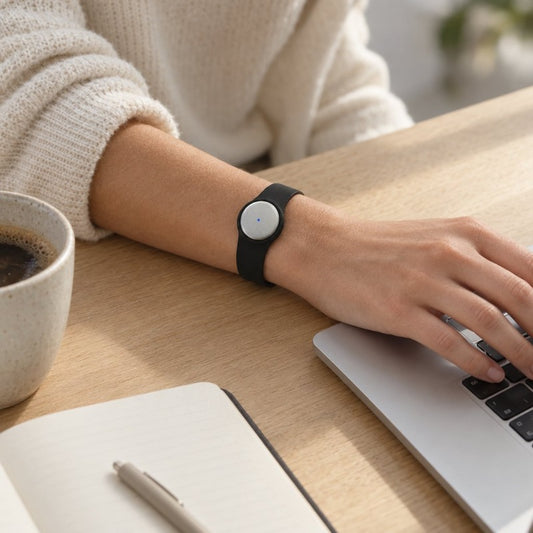
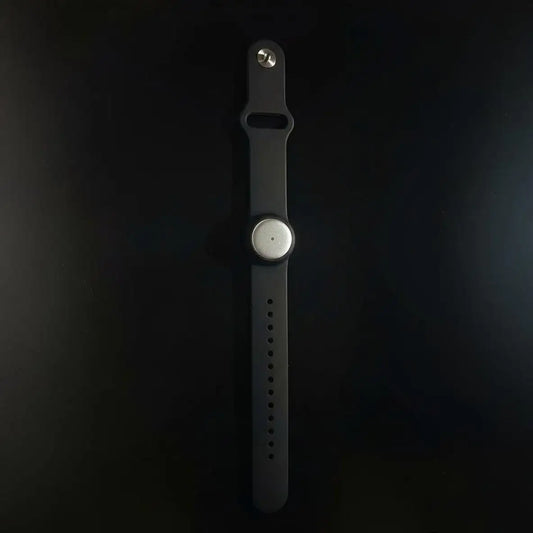
| Wearable pendant | Conversations where you prefer a worn recorder | Supports capture while worn on the neck, wrist, or under a shirt | Adds a separate device to your routine |
| Mac app | Desktop work and online meetings | Records without the pendant using the Mac’s built-in microphone | Suits a computer-based setup rather than a phone-only workflow |
The phone-only route is a complete way to start, not merely a way to browse notes created by the wearable. The distinction is straightforward: the microphone supplies the audio; the app organizes the conversation.
No recording method removes the need to check important details. Review names, commitments, and speaker attribution before using a summary as a client record or sending a follow-up.
How do you start recording without the pendant?
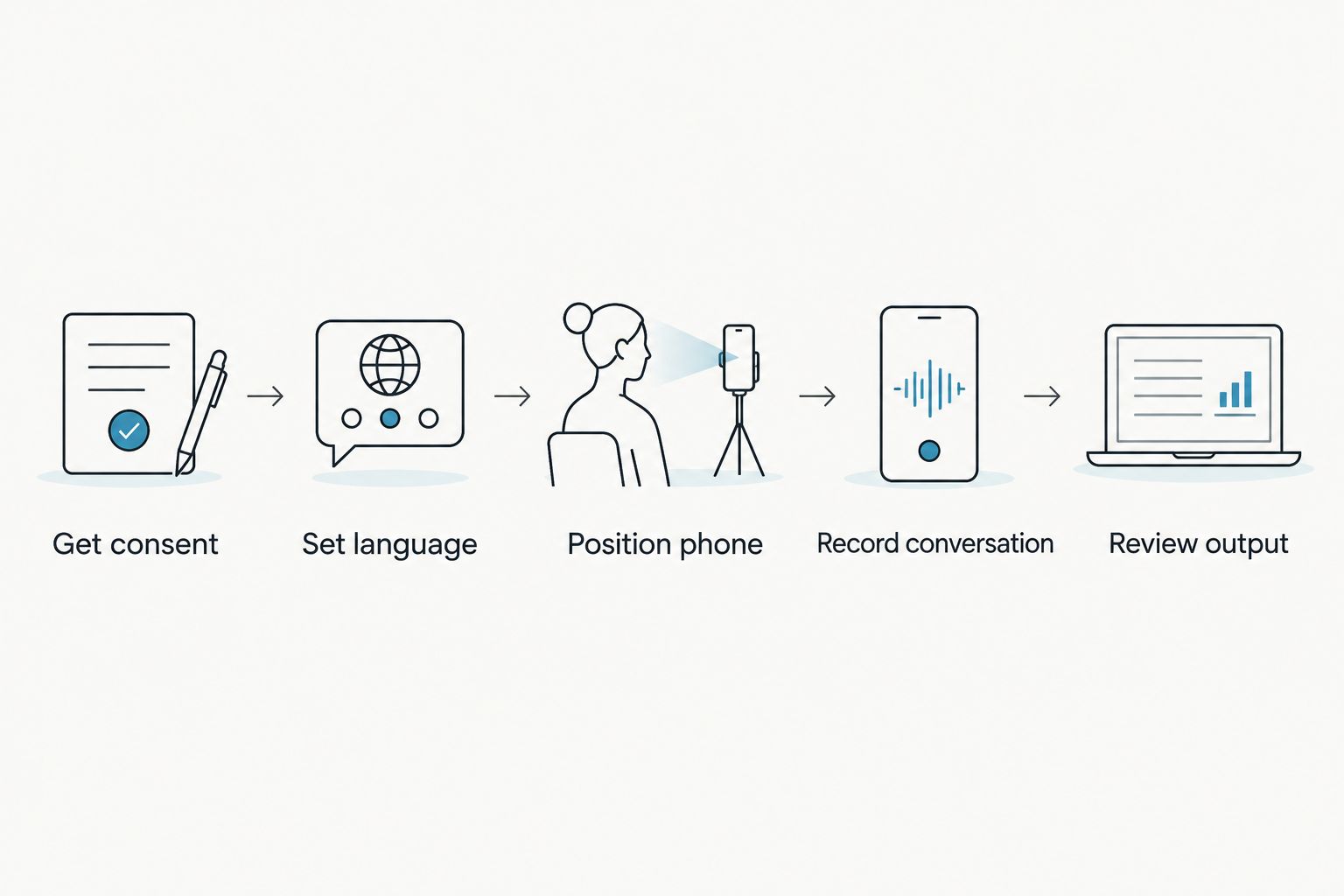
Use this sequence for your first phone-only conversation. These are workflow steps, not instructions tied to particular button names or an app layout.
- Get consent. Explain that you want to record and confirm that the conversation is appropriate to capture. Consent rules vary by location; check local law.
- Set language. Select the conversation’s language manually. Automatic switching between languages during a conversation is not supported.
- Position phone. Place the phone where its microphone can pick up the people speaking. Do not assume it will capture a distant participant clearly from inside a bag.
- Record conversation. Use the phone app as the recorder. No pendant needs to supply the audio.
- Review output. Read the transcript, summary, and action items. Correct misunderstandings before using the notes for decisions or follow-up.
Make the first recording something you can evaluate easily, such as a spoken reminder or a conversation whose participants have agreed to recording. Check whether the transcript preserves the details you need, rather than judging the app only by whether it produces a polished summary.
For the legal considerations, read the guide to recording consent for conversations. Using a phone instead of a pendant does not remove consent obligations.
iPhone and Android: phone-only recording
Both iPhone and Android apps support recording without the wearable. You do not need to purchase a pendant simply to turn spoken conversations into notes.
The practical advantage is fewer devices. The trade-off is that you must make your phone part of the recording setup: put it near the discussion, confirm that recording is underway, and review the result afterward.
For a seated conversation, that is a straightforward routine. If your work involves moving between people or speaking while your phone stays elsewhere, evaluate whether a worn recorder better matches how you work.
Start phone-only when you can deliberately place your phone for the conversations you want to capture. Do not add hardware before you know what problem it needs to solve.
Mac: recording without a wearable at your desk
The Mac app also works without the pendant and records through the computer’s built-in microphone. This gives you another hardware-independent route when your work happens at a desk.
For Zoom, Google Meet, and Microsoft Teams, recording options include the Mac app or a phone or wearable in the room. The service does not join the meeting as a bot.
That does not make microphone placement irrelevant. If you choose the phone-in-the-room method, evaluate what the phone actually hears, including remote participants. Do not assume a recording started nearby is equivalent to a direct feed of every participant’s audio.
Use the Mac route for a computer-centered workflow; use phone-only capture when the phone is the device you want managing the recording. Neither requires the pendant.
Basic: 300 listening minutes per month
Basic includes 300 listening minutes per month, according to the August 2026 plan information. It includes the same core features as the other plans.
This makes Basic a sensible starting point for evaluating phone-only capture. Focus on whether the transcript, summary, and tasks are useful before choosing a larger listening allowance.
The allowance has an important caveat: reaching the minute cap does not stop recording. Audio remains available to manage and export. Do not interpret continued recording as an unlimited listening allowance.
Plus: 1,500 listening minutes per month
Plus includes 1,500 listening minutes per month. Its distinction is the larger allowance, not an exclusive set of core note-taking features.
Choose the allowance around the conversations you intend to capture. A recurring meeting routine has different listening needs from occasional dictated reminders, even when both use exactly the same phone microphone.
Check the current plan details before changing plans. The decision should follow your actual recording routine, not the assumption that a higher tier is necessary because you skipped the hardware.
Unlimited: no monthly minute cap
Unlimited has no minute cap and includes the same core features. It addresses listening volume rather than a requirement for wearable ownership.
The benefit is removing the monthly minute ceiling. The limitation is that it does not fix a poorly positioned microphone, an incorrectly selected language, or an unsuitable recording environment.
Choose a plan for listening volume; choose hardware for capture convenience. Those are separate decisions, and combining them too early makes it harder to judge what you need.
Why phone-only results vary
The app can work without hardware, but that does not make every recording setup equivalent. These factors determine how useful the resulting notes are:
- Audio source. A phone, a worn pendant, and a Mac capture from different positions. Choose the microphone that fits the conversation.
- Conversation format. An in-person discussion, an online meeting, and a speakerphone call need different setups.
- Language selection. Support covers 33 languages, including English, Spanish, French, German, and Japanese. English is the most accurate; select the language manually.
- Speaker identification. Speaker labels help separate participants. Speech Profile learns the wearer’s voice and is English-only; review attribution before relying on it.
- Connection mode. Offline recording is supported, but Local Sync is experimental. Test that workflow before depending on it for important conversations.
- Listening allowance. Your plan determines the monthly allowance. Recording continuing after a cap does not erase that distinction.
As of the September 2026 product information, language does not automatically switch mid-conversation. For multilingual discussions, make that limitation part of your evaluation instead of assuming every spoken language will be handled automatically.
Can I record phone calls without the pendant?
Phone calls use speakerphone capture: put the call on speakerphone and let the app record the audible conversation. Phone-only use does not mean direct access to the call’s internal audio.
That distinction is easy to miss. A conversation happening on a phone and a conversation recorded through that phone’s microphone are not the same thing.
Test your intended speakerphone setup before using it for an important call. Confirm that both sides are audible and follow the consent rules that apply where the participants are located.
Do I get summaries and tasks without buying hardware?
Phone-only capture produces transcripts, summaries, action items, and memories. Search across captured information, Daily Recap, and Ask Omi AI chat are also part of the stated output features.
The pendant is not the gatekeeper for those features. Every plan has the same core features; the listening allowance is the plan-level distinction.
Treat generated tasks as a draft of what was agreed. Before acting, verify the responsible person, the commitment, and any deadline against the conversation rather than assuming a concise summary contains every qualification.
Can I record without an internet connection?
Offline recording is supported. Local Sync stores conversations on the phone without internet and syncs them later, but the feature is experimental.
Do not equate offline capture with an assurance that every processing feature finishes offline. Capturing audio, syncing it, and producing organized output are separate parts of the workflow.
If unreliable connectivity is central to your work, test the full sequence yourself: record offline, reconnect, confirm the conversation appears, and inspect the resulting notes before relying on the setup.
What should you check before recording sensitive conversations?
The September 2026 privacy information lists full export, deletion of individual items or everything, TLS in transit, and AES-256 encryption at rest. Local, cloud-free operation is also supported.
Those controls do not replace a decision about whether a conversation should be recorded. Confirm consent, workplace requirements, and who should receive the resulting notes before capturing sensitive material.
Keep the recording decision separate from the sharing decision. Even when recording is appropriate, sending a full transcript to everyone involved is not automatically the right next step. Review what the recipient actually needs.
FAQ
Can Omi be used without the pendant on iPhone?
Yes. The iPhone app records through the phone’s built-in microphone without the pendant and turns conversations into transcripts, summaries, tasks, and memories.
Does the Android app need the wearable to record?
No. The Android app can record through the phone’s built-in microphone without wearable hardware.
How many listening minutes does Basic include?
Basic includes 300 listening minutes per month. Every plan includes the same core features, and reaching the cap does not stop recording; audio remains available to manage and export.
Can I record Zoom or Teams without buying the pendant?
Yes. You can use the Mac app or record with the phone in the room. The service does not join calls as a bot.
Does phone-only recording capture phone calls directly?
Phone calls require speakerphone capture. Put the call on speakerphone and let the app record, then check that both sides are audible and follow applicable consent rules.
Will it automatically change languages while I’m speaking?
No. Select the language manually; automatic switching mid-conversation is not supported. There are 33 supported languages, with English the most accurate.
Can I keep recordings if I reach my listening cap?
Yes. Reaching the minute cap does not stop recording, and audio stays available to manage and export. The cap still defines your plan’s listening allowance.
One last thing
Test the notes before you buy the microphone. In 2026, the strongest reason to add a wearable is that wearing the recorder fits your conversations better—not that the phone app needs hardware to work.
Use phone-only capture for a real, consented conversation. Check whether you can find the important detail afterward and identify the next action. If that works, you have answered the useful question: not whether the pendant is required, but whether your recording routine needs one.