Dictaphone vs AI: Buy for Your Workflow in 2026


In this article
Buy a dictaphone if you mainly need recordings to replay; choose an AI voice recorder if you need searchable transcripts, summaries, and tasks. In 2026, the deciding factor is what happens after recording: a dictaphone leaves you with audio to review, while an AI recorder adds generated notes that still need checking against the conversation.
- Choose a dictaphone for audio playback; choose an AI voice recorder for transcription and searchable notes.
- Omi suits professionals who want spoken conversations turned into transcripts, summaries, tasks, and memories.
- Check recording controls, export, consent, and processing limits before choosing either workflow.
- Keep the original audio: generated summaries are not a substitute for checking important details.
Why this matters
Recording a conversation and using it afterward are different jobs. A recording preserves what was said, but you still need a way to find the promise, instruction, or decision that matters. Transcription and summaries change that review process; they do not remove your responsibility to check the result.
Omi is best for professionals who want an AI voice recorder that turns spoken interactions into searchable notes and tasks. The Omi wearable and companion app produce transcripts, summaries, action items, and memories. The trade-off is that you must review generated output and choose recording and data-handling settings appropriate to the conversation.
Dictaphone vs AI voice recorder: which should you buy?
Choose by the output you need, not by the label on the device. A dedicated digital dictaphone usually centers on recording, storing, and playing audio; an AI voice recorder adds a processing layer that converts speech into written information. Some recording products combine both, so inspect the actual features rather than assuming the category tells you everything.
| Option | Best for | Main benefit | Main limitation | Check before choosing |
|---|---|---|---|---|
| Dedicated dictaphone | People who want an audio record to replay | A focused recording-and-playback workflow | Transcription and follow-up require separate work unless included | Controls, file export, recording settings, and storage specifications |
| AI voice recorder | Professionals who need transcripts, summaries, and tasks | Makes recorded conversations easier to search and review | Generated text needs verification; processing and privacy settings matter | Export, deletion, language support, processing limits, and recording controls |
A dictaphone is the better fit when listening to the recording is your intended endpoint. Examples include practicing a speech, recording your own spoken draft, or retaining an interview for careful playback. Automatic tasks add little if you do not need a task workflow.
An AI voice recorder is the better fit when audio is the starting point. You want to locate a customer requirement, extract a meeting decision, or turn a verbal instruction into something you can act on. Buy for the work after recording, not just the act of recording.
Neither category guarantees intelligible audio in every setting. Microphone placement, overlapping speech, and background noise affect what gets captured. Check the exact model's documentation instead of treating either label as a promise of recording quality.
Choose a dictaphone for deliberate audio capture
Best for: users whose final deliverable is the recording itself. A dedicated dictaphone makes sense when you want to start a recording intentionally, stop it, and return to the audio later. Compare the controls and playback functions that support that routine.
For personal dictation, the useful question is whether you can capture a thought without interrupting it. For interviews, it is whether you can retrieve and review the file afterward. Those needs are different from automatically creating a task list.
The benefit is focus. You can select a recorder around audio capture without making transcript generation central to your workflow. The limitation is the work that remains: listening, identifying relevant passages, and writing any notes you need.
Before buying a dictaphone in 2026, check these details in the manufacturer's documentation:
- Recording controls: Can you tell when recording starts, pauses, and stops?
- Playback functions: Does the device support the way you review audio?
- File export: Can you move recordings into your chosen storage or transcription workflow?
- Published specifications: Does the stated storage and power setup match your intended use?
- Included software: Is transcription part of the product, a separate service, or absent?
Do not assume a digital recorder includes speech-to-text simply because it connects to a computer. Likewise, do not assume every dedicated recorder is offline-only. The specific product determines those capabilities.
Choose an AI voice recorder for searchable conversations
Best for: professionals who need written outputs from spoken interactions. An AI voice recorder is useful when you want a transcript to search, a summary to review, or action items to check after the conversation. That is a different job from keeping an audio archive.
Consider a sales discussion containing requirements, objections, and promised follow-ups. Audio preserves the discussion, but you still need to identify those items. Generated notes provide a starting point for that review; you confirm the wording, ownership, and next action before using them.
The benefit is an additional way into the recording. Instead of relying entirely on playback, you can work from text and return to the audio when a passage needs checking. The limitation is that transcription and summarization can misrepresent speech, particularly when the original recording is unclear.
Never treat a generated task as a confirmed commitment until you check its context. A suggestion, a conditional promise, and an agreed action are not interchangeable. Verify names, dates, technical terms, and who accepted responsibility.
For a fuller explanation of the text-conversion step, use this guide to transcribing audio to text. Keep transcription separate from summarization in your buying decision: a readable transcript and a useful summary solve different problems.
Decide whether you need a wearable at all
An AI recording workflow does not automatically require dedicated hardware. Omi's phone and Mac apps can record from their built-in microphones without the wearable. Its apps are available for iPhone, Android, Mac, and web, with Apple Watch recording also supported.
Best for: app-only capture when your existing device fits the setting. This gives you a way to try the recording-to-notes workflow before deciding whether a wearable belongs in your routine. The limitation is practical: your phone or computer still needs to be positioned to capture the conversation.
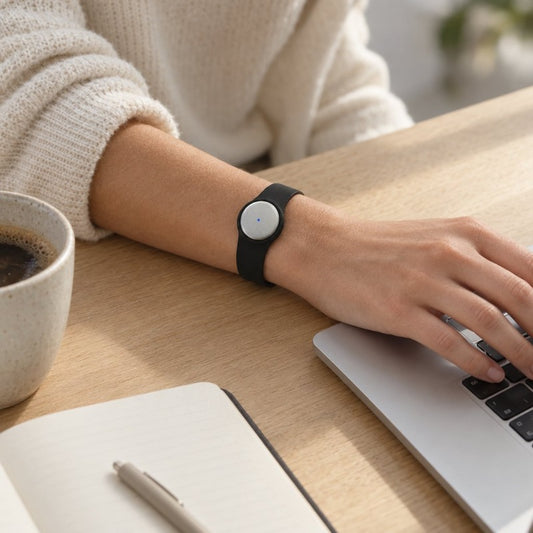
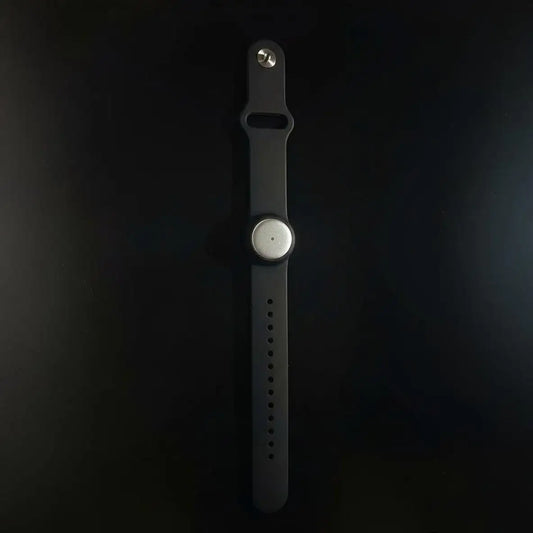
A wearable serves a different capture pattern. The pendant can be worn on a neck lanyard with its silicone case, on the wrist with the separately sold wrist band, or under a shirt. Choose placement with recording clarity and other people's awareness in mind.
| Capture setup | Best for | Benefit | Limitation |
|---|---|---|---|
| Phone microphone | Deliberate recording from a device you already carry | No wearable required | Placement still matters |
| Mac microphone | Recording at your computer | Uses the app on your existing computer | Ties capture to the computer setup |
| Wearable microphone | Spoken interactions away from a desk | Provides a wearable capture option | Requires a physical device and an appropriate recording routine |
In 2026, separate the hardware decision from the output decision. First establish whether transcripts and tasks help you. Then decide which microphone arrangement fits the conversations you actually need to capture.
Why the right choice varies
The same recorder is not the right purchase for every conversation. These factors change the decision because they change either the capture process or what you must do with the result.
- Output: Audio playback favors a dictaphone workflow. Searchable transcripts and generated tasks favor an AI recording workflow.
- Setting: Desk meetings, in-person conversations, and spoken personal notes require different microphone placement.
- Language: Supported languages and language-selection controls matter when transcription is part of the job.
- Processing limits: Listening allowances matter when you depend on generated outputs across recurring conversations.
- Data handling: Export, deletion, local operation, and cloud processing determine how recordings fit your requirements.
- Consent: Recording rules vary by location. Check local law and the policies that apply to the conversation.
Privacy is not a category-wide guarantee. Do not assume a dictaphone never connects to a service or that an AI recorder always requires cloud processing. Check where the specific product records, stores, processes, and exports your information.
Check language support and listening limits
Omi supports 33 languages, including English, Spanish, French, German, Portuguese, Chinese, Japanese, Korean, Hindi, Russian, and Ukrainian. English is its most accurate language. Set the language manually; it does not automatically switch languages mid-conversation.
That distinction matters for multilingual conversations. A list of supported languages does not mean automatic recognition of every language change. Choose the language setting deliberately, and check important passages against the audio.
Its documented 2026 plan allowances also distinguish recording from processing. Basic includes 300 listening minutes per month. Plus includes 1,500 listening minutes per month, while Unlimited has no minute cap; every plan has the same core features.
Hitting the minute cap does not stop recording. Audio remains available to manage and export. Check the listening allowance separately from whether the device can continue capturing audio.
For any product, read the current plan documentation before choosing your workflow. Do not infer a processing allowance from the hardware or assume that all AI recording services handle limits the same way.
How do you compare recorders before buying?
Use the same conversation-review exercise for each option. The goal is not to collect the longest feature list; it is to determine whether the recorder helps you complete your actual work.
- Choose the output. Decide whether you need audio, a transcript, a summary, tasks, or a combination.
- Capture a sample. Use your own speech or a conversation recorded with appropriate consent. Include the vocabulary you normally use.
- Review the result. Listen for intelligibility and inspect generated text where available. Check names, decisions, and action owners.
- Check export. Confirm that you can retrieve the files and written outputs you need.
- Check deletion. Understand how to remove recordings and derived information when they are no longer needed.
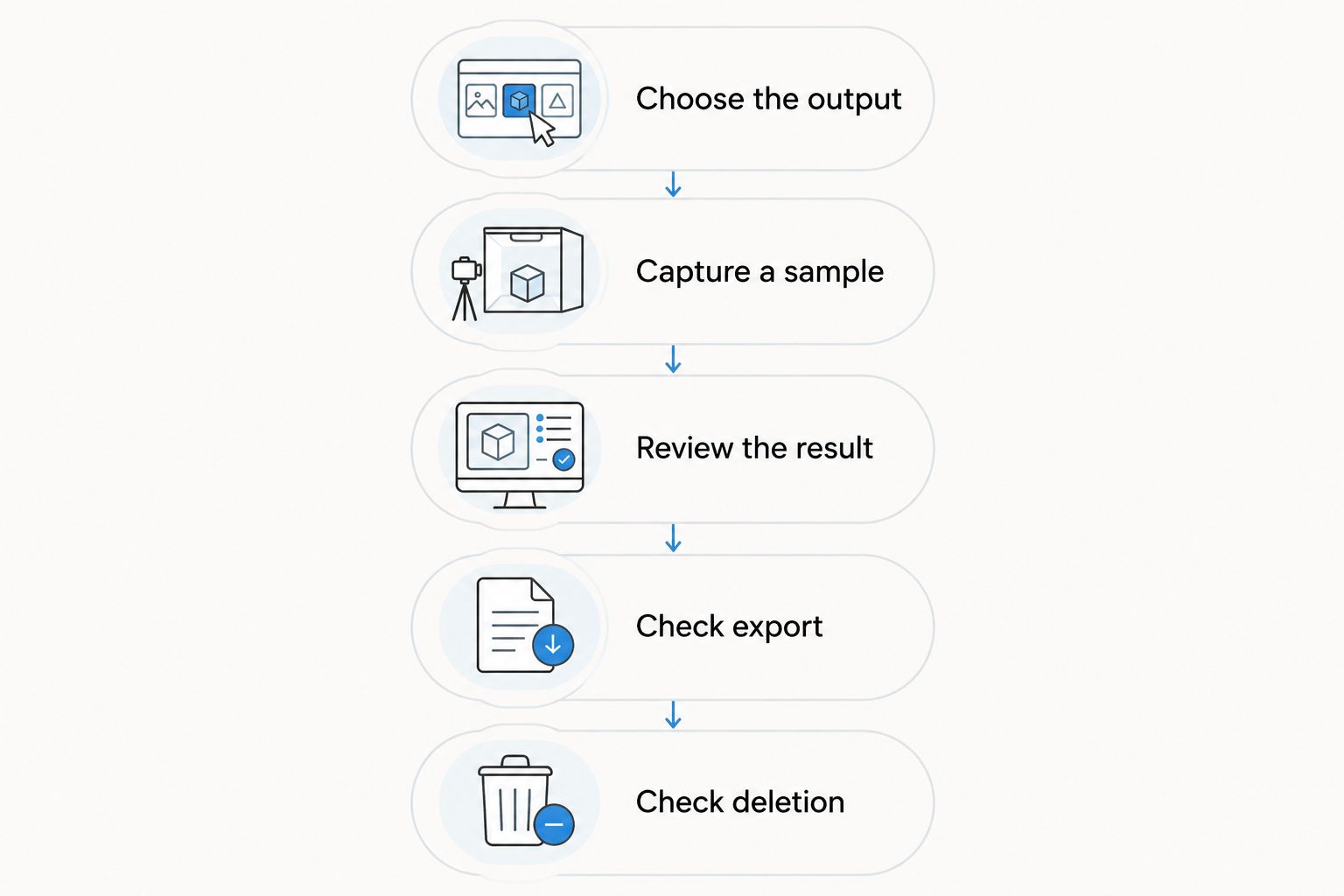
A successful check ends with usable information, not merely a completed recording. If you still cannot identify the decision or retrieve the file, the workflow has not met your need. Apply this test to a dictaphone and an AI recorder alike.
Can an AI voice recorder replace a dictaphone?
An AI voice recorder can replace a dictaphone when it provides the recording, playback, and export functions you require. Transcription alone is not enough. Verify the audio workflow before making generated notes your main reason to switch.
Does a dictaphone automatically transcribe speech?
A dictaphone does not automatically include transcription; the exact model and accompanying software determine that. Look for an explicit speech-to-text feature. File transfer to a computer is not the same as built-in transcription.
Should you record every conversation?
Do not make blanket recording your default without checking consent, local law, and applicable workplace policies. Decide what needs capturing and why. A device's recording capability does not establish permission to use it.
FAQ
What's better, a dictaphone or an AI voice recorder?
A dictaphone is better for audio-first playback, while an AI voice recorder is better for searchable transcripts, summaries, and tasks. Choose according to the output you need after the conversation.
Can I use my phone instead of buying a dictaphone?
You can use a phone for audio capture if its recording app and microphone setup meet your needs. Check recording controls, file export, and any transcription features separately.
Do I need the Omi pendant to record conversations?
You do not need the Omi pendant to record through its phone or Mac app. Both can use the device's built-in microphone.
Will an AI voice recorder give me a perfect transcript?
An AI voice recorder does not guarantee a perfect transcript. Check important names, technical terms, commitments, and dates against the original audio.
Is an AI voice recorder private?
Privacy depends on the specific recorder's storage, processing, export, and deletion controls. Check those controls rather than assuming every AI recorder handles data the same way.
Can a wearable recorder record an online meeting?
A wearable can capture meeting audio played into the room, but that is different from capturing through a computer app. Check the product's supported recording method and the meeting's consent requirements.
Is recording a conversation legal in 2026?
Consent rules vary by location, so check local law before recording a conversation in 2026. Workplace policies and the handling of sensitive information also require attention.
One last thing
Keep the source, not just the summary. A concise note can remove the condition attached to a promise or the uncertainty attached to a technical answer. Before you act on an important passage, check the recording and preserve the context you need.
That is the buying rule that survives the product labels: choose the recorder that helps you capture, retrieve, and verify the conversation. Extra outputs are useful only when they support that job.